If your customers are on WhatsApp—and they are—then WhatsApp Business API isn’t a “nice-to-have.” It’s a competitive advantage.
Big brands already know this. That’s why airlines, banks, eCommerce giants, SaaS companies, and logistics firms rely on WhatsApp Business API to automate conversations, close sales faster, and deliver instant customer support at scale.
But what exactly is it—and why does it matter so much?
Let’s break it down.
What Is WhatsApp Business API?
Business API is an enterprise-grade messaging solution built by WhatsApp (Meta) to help medium and large businesses communicate with customers programmatically.
Unlike the free WhatsApp Business App, the API:
-
Does not have a front-end interface
-
Must be integrated with software platforms
-
Is designed for automation, scale, and system-level messaging
In simple terms:
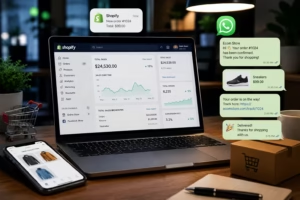
👉 It lets businesses send and receive WhatsApp messages automatically using CRMs, chatbots, and customer support tools.
WhatsApp Business API vs WhatsApp Business App
Many businesses confuse the two—so let’s clear it up.
WhatsApp Business App
-
Free to use
-
Designed for small businesses
-
Single device or limited multi-device
-
Manual messaging only
-
No automation or CRM integration
WhatsApp API
-
Paid (conversation-based pricing)
-
Built for growing & enterprise businesses
-
Unlimited users & agents
-
Full automation via chatbots
-
CRM, ERP, and tool integrations
-
Approved message templates
Bottom line:
If you handle high message volumes, need automation, or want real growth—API is the only serious option.
How Business API Works
Business API doesn’t work like a normal app. Here’s how it actually operates:
1. API Access via a Provider
Businesses must apply through an official WhatsApp Business Solution Provider (BSP) like OneClickAPI. These providers:
-
Handle Meta approvals
-
Manage hosting & compliance
-
Offer dashboards, inboxes, and integrations
2. Session Messages & Templates
WhatsApp uses a structured messaging model:
-
24-hour session messages: Free-form replies to customer-initiated chats
-
Template messages: Pre-approved messages used to start conversations (alerts, reminders, offers)
3. Automation & Integrations
Once connected, businesses can:
-
Trigger messages via CRM actions
-
Run chatbots for FAQs and lead capture
-
Route chats to agents automatically
Key Features of WhatsApp Business API
Automation & Chatbots
-
24/7 instant replies
-
Lead qualification flows
-
FAQ handling without agents
CRM & Tool Integrations
-
Sync with CRMs like HubSpot, Zoho, Salesforce
-
Auto-update customer records
-
Trigger messages based on behavior
Multi-Agent Inbox
-
Multiple agents on one WhatsApp number
-
Role-based access
-
Conversation assignment & tagging
Broadcast & Notification Messaging
-
Order confirmations
-
Payment reminders
-
Appointment alerts
-
Shipping updates
Enterprise-Grade Security
-
End-to-end encryption
-
Meta compliance
-
Verified business profiles
Why Big Brands Prefer WhatsApp Business API
Big brands don’t gamble with customer experience. They use WhatsApp API because it delivers:
-
📈 98%+ open rates
-
⚡ Faster response times
-
🤝 Highly personalized conversations
-
🔄 Seamless omnichannel workflows
Email gets ignored. SMS feels intrusive.
WhatsApp? It feels personal—and customers actually respond.
Common Use Cases of WhatsApp Business API
Customer Support
-
Automated ticket creation
-
Real-time issue resolution
-
Fewer calls, happier customers
Marketing & Promotions
-
Personalized offers
-
Abandoned cart recovery
-
Event reminders
Sales & Lead Qualification
-
Auto-follow-ups
-
Lead scoring via chat
-
Appointment booking
Transactional Alerts
-
OTPs & verification
-
Payment confirmations
-
Delivery notifications
WhatsApp Business API Pricing Explained
WhatsApp follows a conversation-based pricing model.
Key Pricing Factors:
-
User-initiated vs business-initiated conversations
-
Country of the user
-
Conversation category (marketing, utility, service, authentication)
💡 There are no per-message charges—only per conversation window.
Who Should Use WhatsApp Business API?
This solution is ideal for:
-
eCommerce brands
-
SaaS & tech companies
-
Banks & fintech
-
Healthcare & education
-
Logistics & travel
If you have:
-
High customer interaction volume
-
A need for automation
-
Multiple agents handling chats
👉 Business API is built for you.
How to Get Started with WhatsApp API
What You Need:
-
Facebook Business Manager
-
Verified business details
-
A phone number (not linked to WhatsApp already)
The Easy Way:
Partner with a provider like OneClickAPI, who handles:
-
Approval & onboarding
-
API access
-
Dashboard & integrations
-
Ongoing support
FAQs About Business API
Is API free?
No. It uses Meta’s conversation-based pricing.
Can I send bulk messages?
Yes—but only using approved templates and opt-in users.
Is it better than email marketing?
For engagement and response rates—absolutely.
You might be interested in: This One WhatsApp Auto Reply Is Instantly Boosting Customer Response Rates (Proven Formula)
Final Thoughts: Is WhatsApp API Worth It?
If customer experience, automation, and scalability matter to your business, then WhatsApp Business API isn’t optional anymore—it’s essential.
Big brands already know this.
Now you do too.