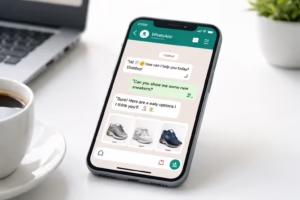
Customer expectations have never been higher. People expect businesses to respond instantly, resolve issues quickly, and provide personalized support across every channel. Since WhatsApp has become one of the world’s most popular messaging platforms, businesses are increasingly turning to a WhatsApp CRM for customer support to manage conversations efficiently.
But with so many CRM solutions available, how do you choose the right one?
This guide compares the essential features every WhatsApp CRM should offer and explains how platforms like OneClickAPI help businesses deliver faster, smarter, and more scalable customer support.
Why Businesses Need a WhatsApp CRM
Modern customers don’t want to wait on hold or send lengthy emails. They want instant replies on the messaging app they already use every day.
A WhatsApp CRM allows businesses to:
- Centralize customer conversations
- Track support history
- Automate repetitive tasks
- Assign chats to support agents
- Measure team performance
- Increase customer satisfaction
Instead of switching between multiple apps, support teams can manage everything from one dashboard.
What is WhatsApp CRM?
A WhatsApp CRM combines Customer Relationship Management software with the WhatsApp Business API.
Unlike the standard WhatsApp Business App, a CRM enables:
- Multiple agents
- Unlimited customer conversations
- Team collaboration
- CRM integrations
- Automated workflows
- Chat history
- Analytics
- AI-powered automation
This creates a professional support system capable of handling hundreds or even thousands of customer conversations daily.
Top Features Every WhatsApp CRM Should Have
1. Shared Team Inbox
Instead of one phone handling all customer chats, multiple agents can respond simultaneously.
Benefits include:
- Faster replies
- Better collaboration
- No missed messages
- Improved accountability
2. Customer Profile & Conversation History
Every interaction is stored automatically.
Support agents instantly see:
- Previous conversations
- Orders
- Purchase history
- Complaints
- Notes
This creates a highly personalized customer experience.
3. Automated Ticket Assignment
Incoming chats can automatically route to:
- Sales
- Billing
- Technical Support
- Returns
- VIP customers
This eliminates manual routing and reduces response times.
4. AI Chatbots
AI chatbots can answer common questions such as:
- Order tracking
- Delivery status
- Business hours
- Pricing
- FAQs
This reduces workload while providing instant support 24/7.
5. CRM Integration
The best WhatsApp CRM integrates with:
- HubSpot
- Salesforce
- Zoho CRM
- Pipedrive
- Freshsales
- Custom CRMs
This ensures customer information stays synchronized across your organization.
6. Workflow Automation
Automate repetitive tasks like:
- Welcome messages
- Appointment reminders
- Payment reminders
- Follow-ups
- Feedback requests
Automation increases efficiency while reducing human error.
7. Shared Notes & Internal Comments
Agents can leave private notes visible only to team members.
This improves collaboration and avoids asking customers the same questions repeatedly.
8. Analytics Dashboard
Key metrics include:
- Average response time
- Resolution time
- Agent productivity
- Customer satisfaction
- Message volume
- Conversation trends
These insights help managers optimize support performance.
9. Broadcast Messaging
Send updates to thousands of customers, including:
- Product launches
- Promotions
- Service updates
- Payment reminders
- Event notifications
All while staying compliant with WhatsApp Business API guidelines.
10. API Integration
Developers can integrate WhatsApp CRM with:
- ERP systems
- Ecommerce stores
- Payment gateways
- Booking systems
- Inventory software
This creates a seamless customer support ecosystem.
Feature Comparison Table
| Feature | Basic WhatsApp Business | WhatsApp CRM |
|---|---|---|
| Multiple Agents | ❌ | ✅ |
| Shared Inbox | ❌ | ✅ |
| Customer History | Limited | Complete |
| AI Chatbot | ❌ | ✅ |
| CRM Integration | ❌ | ✅ |
| Ticket Assignment | ❌ | ✅ |
| Analytics | Basic | Advanced |
| Automation | Limited | Extensive |
| API Access | ❌ | ✅ |
Industry Use Cases
Ecommerce
- Order tracking
- Refund requests
- Product inquiries
- Shipping updates
Healthcare
- Appointment reminders
- Prescription renewals
- Patient support
- Follow-up care
Education
- Student admissions
- Fee reminders
- Course updates
- Parent communication
Finance
- Loan inquiries
- Account verification
- Customer onboarding
- Payment reminders
Real Estate
- Lead qualification
- Property inquiries
- Site visit scheduling
- Follow-up automation
Benefits of WhatsApp CRM
Businesses typically experience:
- Faster response times
- Higher customer satisfaction
- Increased productivity
- Better collaboration
- Reduced support costs
- Improved customer retention
- More personalized service
- Higher conversion rates
- Better reporting
- Scalable customer support
How to Choose the Best WhatsApp CRM
Before selecting a platform, consider:
Ease of Use
Can your team start using it quickly?
Integration Options
Does it integrate with your CRM and other business tools?
Automation Features
Look for workflow automation and chatbot capabilities.
Analytics
Choose software with detailed reporting.
Scalability
Can it support your business as it grows?
API Availability
Developers should have access to robust APIs for custom integrations.
Why Choose OneClickAPI?
OneClickAPI simplifies WhatsApp Business API integration while providing the tools businesses need to deliver exceptional customer support.
Key advantages include:
- Easy WhatsApp API integration
- Developer-friendly documentation
- CRM compatibility
- Automation capabilities
- Fast onboarding
- Reliable infrastructure
- Scalable messaging
- Multi-agent support
- Enterprise-ready security
Whether you’re a startup or a large enterprise, OneClickAPI helps streamline customer communication and support operations.
Frequently Asked Questions
What is a WhatsApp CRM?
A WhatsApp CRM combines customer relationship management software with the WhatsApp Business API to manage customer conversations efficiently.
Is WhatsApp CRM suitable for small businesses?
Yes. Small businesses benefit from automation, shared inboxes, and faster customer support without requiring large teams.
Can WhatsApp CRM integrate with existing CRM software?
Most modern platforms support integrations with popular CRMs such as HubSpot, Salesforce, and Zoho.
Does WhatsApp CRM support automation?
Yes. Businesses can automate replies, workflows, notifications, reminders, and chatbot interactions.
Is WhatsApp CRM secure?
When using the official WhatsApp Business API and a trusted provider like OneClickAPI, communications are encrypted and compliant with WhatsApp’s policies.
You might also like: How WhatsApp CRM for Sales Teams Improves Lead Conversion (Complete Guide)
Final Thoughts
Providing exceptional customer support is no longer optional—it’s a competitive advantage. A WhatsApp CRM for customer support empowers businesses to centralize conversations, automate routine tasks, collaborate effectively, and deliver faster, more personalized service.
By choosing a solution that combines powerful CRM features with reliable WhatsApp Business API integration, businesses can improve customer satisfaction while scaling support operations efficiently. If you’re looking for a flexible and developer-friendly platform, OneClickAPI offers the tools to build a modern, scalable customer support experience.