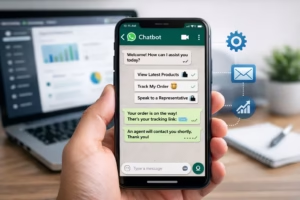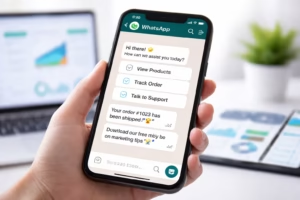
You’ve probably chatted with a business on WhatsApp and wondered How WhatsApp Chatbots Work? received instant replies—even at 2 AM.
No human. No delay. Just fast, accurate responses.
So… what’s actually happening behind the scenes?
Let’s break down how WhatsApp chatbots work in a way that’s simple, fascinating, and surprisingly powerful.
What Is a WhatsApp Chatbot?
A WhatsApp chatbot is an automated software program that interacts with users on WhatsApp—just like a human would.
But instead of a person typing replies, it uses:
- Predefined rules
- Artificial intelligence (AI)
- API integrations
This allows businesses to:
- Reply instantly
- Handle thousands of conversations
- Automate repetitive tasks
Why Businesses Are Obsessed With WhatsApp Chatbots
WhatsApp isn’t just a messaging app—it’s a business powerhouse.
Here’s why chatbots on WhatsApp are exploding:
- 📈 2+ billion active users
- ⚡ 90%+ message open rates
- 💬 Instant communication
- 🤖 Full automation capability
Businesses use WhatsApp chatbots to:
- Capture leads
- Provide customer support
- Send updates & notifications
- Close sales
How WhatsApp Chatbots Work (Step-by-Step Breakdown)
Let’s simplify the entire system 👇
Step 1: User Sends a Message
Everything starts when a user sends a message like:
“Hi, I want to know the price”
This message goes directly to a WhatsApp Business account connected via API.
Step 2: WhatsApp Business API Receives It
Unlike regular WhatsApp, businesses use the WhatsApp Business API.
This API acts as a bridge between:
- Your chatbot system
It receives the message and forwards it to your chatbot backend.
Step 3: Chatbot Engine Processes the Message
Now comes the brain 🧠
The chatbot engine:
- Reads the message
- Understands intent (via rules or AI)
- Matches it with a response
Example:
- “price” → triggers pricing response
- “support” → redirects to help flow
Step 4: Decision-Making (Rules vs AI)
There are two ways chatbots decide what to reply:
🔹 Rule-Based Logic:
- Predefined flows
- If → Then conditions
Example:
- If user says “price” → send pricing menu
🔹 AI-Based Logic:
- Uses NLP (Natural Language Processing)
- Understands variations in language
Example:
- “What’s the cost?”
- “How much is it?”
Both trigger the same response.
Step 5: Response Is Sent Back Instantly
Once the chatbot decides the reply:
- It sends it back via WhatsApp API
- The user receives it instantly
And the cycle continues.
Types of WhatsApp Chatbots
🔹 Rule-Based Chatbots
Best for:
- FAQs
- Simple queries
- Lead qualification
Pros:
- Easy to set up
- Predictable responses
Cons:
- Limited flexibility
🔹 AI-Powered Chatbots
Best for:
- Complex conversations
- Customer support
- Personalization
Pros:
- Smarter interactions
- Better user experience
Cons:
- Requires training/data
Real-Life Use Cases of WhatsApp Chatbots
Here’s where things get exciting 👇
🛍️ E-commerce:
- Product recommendations
- Order tracking
- Abandoned cart recovery
🏢 Service Businesses:
- Appointment booking
- Lead qualification
- Follow-ups
📦 Logistics:
- Shipment updates
- Delivery notifications
🎓 Education:
- Course info
- Enrollment automation
Key Components Behind WhatsApp Chatbots
To truly understand how WhatsApp chatbots work, you need to know the building blocks:
1. WhatsApp Business API
- The gateway to WhatsApp automation
2. Chatbot Platform
- Where logic & flows are created
3. Database / CRM
- Stores user data
4. Webhooks
- Enable real-time communication
5. AI/NLP Engine (Optional)
- Powers intelligent conversations
How OneClickAPI Powers WhatsApp Chatbots
This is where things become practical.
With OneClickAPI, you can:
- Connect to WhatsApp Business API instantly
- Build chatbot flows without heavy coding
- Automate conversations at scale
Instead of dealing with complex backend setups, you get:
- Simple integrations
- Faster deployment
- Reliable automation
Benefits of Using WhatsApp Chatbots for Business
Let’s talk ROI 👇
🚀 Speed
Instant replies = happier customers
💰 Cost Savings
Reduce support team workload
📈 Higher Conversions
Faster responses = more sales
🤝 Better Customer Experience
24/7 availability
📊 Scalability
Handle thousands of chats simultaneously
Common Myths About WhatsApp Chatbots
❌ “Chatbots feel robotic”
✅ Modern bots feel natural (thanks to AI)
❌ “They’re expensive”
✅ Tools like OneClickAPI make it affordable
❌ “Only big companies can use them”
✅ Even small businesses can leverage them
How to Get Started with WhatsApp Chatbots
Here’s a simple roadmap:
- Get WhatsApp Business API access
- Choose a chatbot platform (like OneClickAPI)
- Define use cases (support, sales, etc.)
- Build conversation flows
- Test and launch
You might be interested in: WhatsApp Auto Reply Message Examples Every Business Should Start Using Today
Final Thoughts: The Future of WhatsApp Automation
WhatsApp chatbots aren’t just a trend—they’re the future of business communication.
As AI improves, chatbots will become:
- More human-like
- More personalized
- More powerful
If you’re not using them yet, you’re already behind.